Record your screen. Share a link.
Screen plus a webcam bubble, recorded right in your browser and shared with one link. No time limits, no watermark.
no sign-up, no download, no card.
On a Mac? Get the menu-bar app — record with ⌥⌘R from anywhere, and it never loses a recording.
Loom charges $150 a year just to record past 5 minutes.
That felt silly, so we took the wall down. Unlimited-length recordings are free here. Upgrade only if you want more, at half Loom's price.
Clipnote, free
- ✓Record as long as you want
- ✓25 recordings, HD 1080p
- ✓Webcam bubble + mic + system audio
- ✓Draw, highlight & blur while you record
- ✓Shareable links, no watermark
Loom, free
- · 5-minute limit per recording
- · 25 recordings
- · Pay $12.5/mo to lift the limit
- · Drawing tools need the desktop app, on paid plans
- · Watermark on some plans
Everything you need to send a quick video.
Your face in a bubble
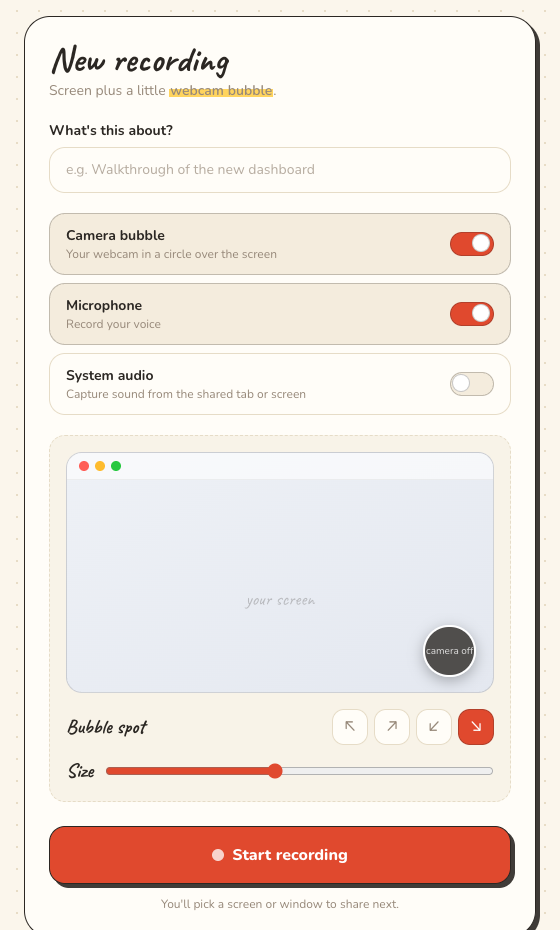
Your webcam sits in a friendly circle over the screen, so people get the tone, not just the pixels. Move it anywhere, resize it, or turn it off.
Plays everywhere
We auto-convert every clip so it plays on iPhone, Safari, and anything else. No black boxes.
Share with a link
Every recording gets a clean page anyone can open in their browser. Copy, paste, done.
All your clips, one click away
Your whole library lives in one tidy place, with thumbnails and durations, ready to re-share.
Draw on your screen while you record.
Circle the button you're talking about. Arrow at the bug. Highlight the line that matters. It all lands in the video — no editing after.
- Pen
- Highlighter
- Arrow
- Shapes
- Text
- Blur
- Laser
- Eraser
Blur anything sensitive before it hits the recording — customer names, card numbers, inboxes. Drag a box over it and it's gone from the video.
Loom keeps its drawing tools in a desktop app you have to download, on paid plans. Ours run in the browser, on every plan, for free.
Customer invoices
Acme Corp — $128,400
Globex — card ending blurred
Initech — $61,900
Three steps. Really.
Hit record
Pick a screen or window. We pop your webcam into a bubble and count you in.
We get it ready
Your clip is auto-processed to play smoothly on every device, in about a minute.
Send the link
Copy the link and paste it anywhere. They watch it right in the browser.
It can't lose your recording.
Most recorders hold your video in memory and only write a real file when you press stop. Crash before that and it's gone — which is how people lose the take they can't redo.
Clipnote writes to your Mac as you record, a second at a time. Force-quit it, run out of battery, pull the plug: what you recorded still plays, and it picks up and uploads on its own when you reopen it.
Also: draw on your screen mid-recording, blur anything private, and trim the ends before it uploads.
lives in your menu bar ↑
Record from any tab, in one click.
Pin Clipnote to your toolbar and start a recording without opening a site first. Screen, webcam bubble, and mic — right where you already are.
one click, records anywhere ↑
Your recordings are already a course.
Kajabi and Teachable make you record somewhere else, export the file and upload it. You record here — so a lesson is just a recording that knows where it belongs. Your branding, your domain, and we take 0% of what you sell.
included with Pro — Kajabi starts at $179/mo
Week 1 — Foundations
Fair pricing. Half of Loom.
Start free and stay free for a good while. Upgrade when you need more.
Free
$0
- ✓25 recordings
- ✓Unlimited length, HD 1080p
- ✓Webcam bubble, mic, system audio
- ✓Shareable links, no watermark
- ✓Download your originals
Pro
$7/mo
- ✓Unlimited recordings
- ✓Everything in Free
- ✓Longer storage + priority processing
- ✓Custom link branding
- ✓Half the price of Loom ($12.5/mo)
Team
$9/person/mo
Loom Business is $18/person
- ✓Everything in Pro, for everyone
- ✓Shared team library
- ✓One bill, add or remove people anytime
- ✓Invite by email, admin controls
- ✓From 2 people · cancel whenever
Bigger company?
Over 25 people, invoicing, a security review, or something specific — tell us what you need and we'll quote it. Real person, same week.
Good questions.
Is it actually free?+
Yes. 25 recordings with no time limit, no watermark, and no credit card. Upgrade to Pro only if you outgrow it.
Do videos play on iPhone and Safari?+
Yes. We auto-convert every recording so it plays on any device and browser, not just Chrome.
Is there a recording time limit?+
No. Record for as long as you want, even on the free plan. That is the exact thing Loom charges to unlock.
Do I need to install anything?+
Nope — it runs entirely in your browser. If you'd rather record straight from your toolbar, there's a free Clipnote Chrome extension too (Chrome, Edge, and Brave).
Do you have a plan for teams?+
Yes — $9 per person per month, from 2 people, with a shared library and one bill. Loom Business is $18 per person for the same thing.
Where are my recordings stored?+
On fast, secure video hosting. You can download the original file of any recording whenever you like.
Make your first recording in 10 seconds.
No sign-up wall. Hit the button, pick a window, start talking.
Start recording, free